
Skip to product information


Sale price
€4,00
Regular price
€5,00
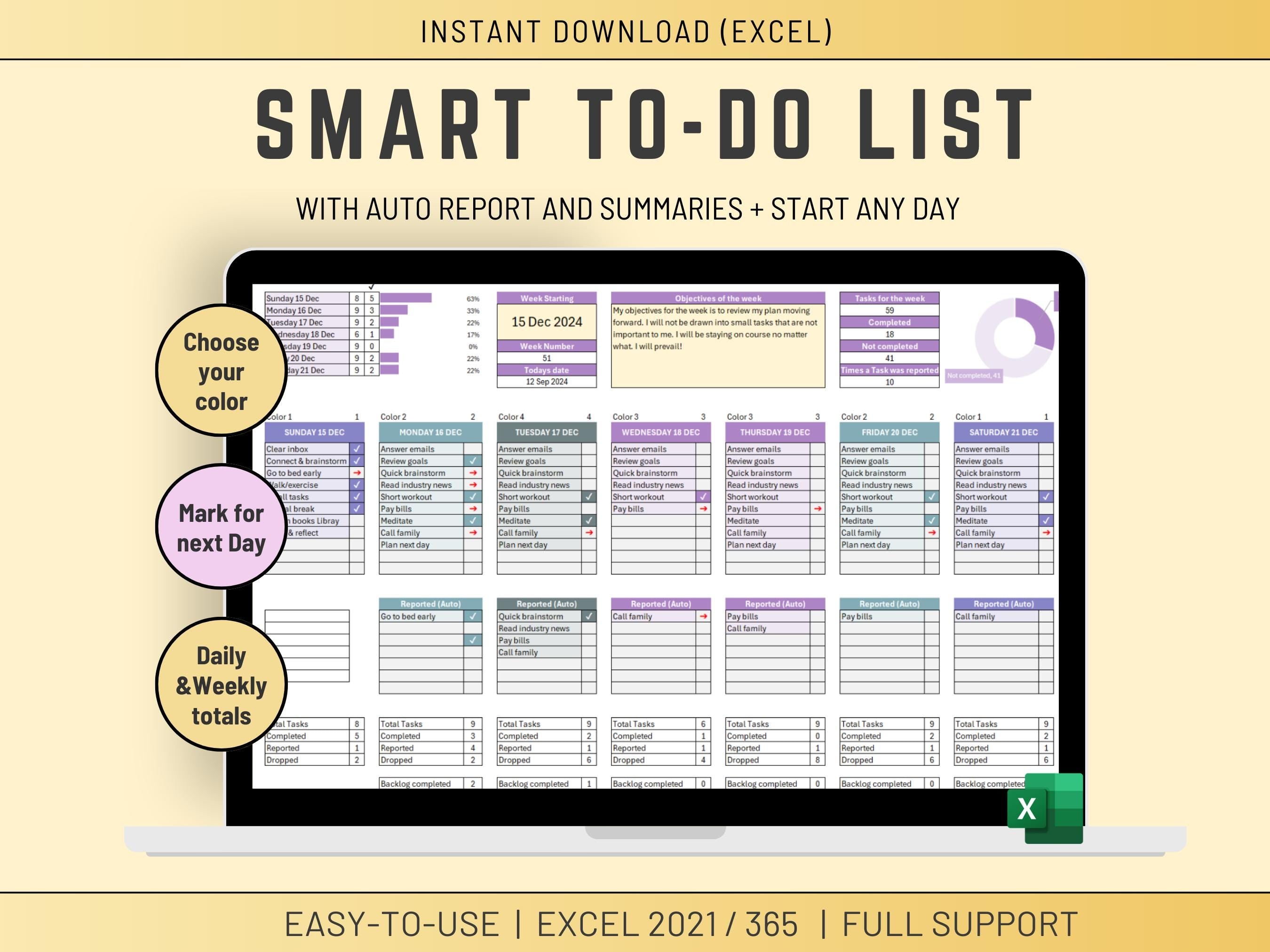
Stay on top of your weekly tasks with this automated Excel to-do list planner. Perfect for busy professionals, students, and anyone who wants to boost productivity and never miss a deadline.
This color-coded weekly planner automatically manages your backlog, rolls over incomplete tasks, and helps you prioritize what matters most. No more rewriting tasks week after week—the template does it for you.
Key Features
- Automated Backlog Management - Incomplete tasks automatically roll over to the next week
- Color-Coded Priority System - Instantly see what needs attention with visual priority indicators
- Weekly Planning View - Organize tasks by day with a clear weekly overview
- Task Status Tracking - Mark tasks as complete, in progress, or pending
- Easy Customization - Adapt categories and priorities to your workflow
- No Macros Required - Works with standard Excel formulas for reliability
What's Included
- Excel template file (.xlsx format)
- Pre-configured weekly planner layout
- Automated backlog tracking system
- Color-coded priority levels
- Instructions for customization
Perfect For
- Professionals managing multiple projects
- Students tracking assignments and deadlines
- Freelancers organizing client work
- Anyone who wants a simple, effective weekly planning system
Technical Details
- Format: Excel (.xlsx)
- Compatibility: Excel 2016, 2019, 2021, Excel 365, Excel for Mac
- Delivery: Instant digital download
- No installation required - Just download and start planning
How It Works
Simply enter your tasks for the week, assign priorities, and mark them complete as you go. At the end of the week, any incomplete tasks automatically move to your backlog for the following week. The color-coded system helps you focus on high-priority items first.
Get organized today with this automated weekly planner—download instantly and start planning smarter, not harder.